
How to Visualize OpenTelemetry Metrics from Sumo Logic API in Grafana
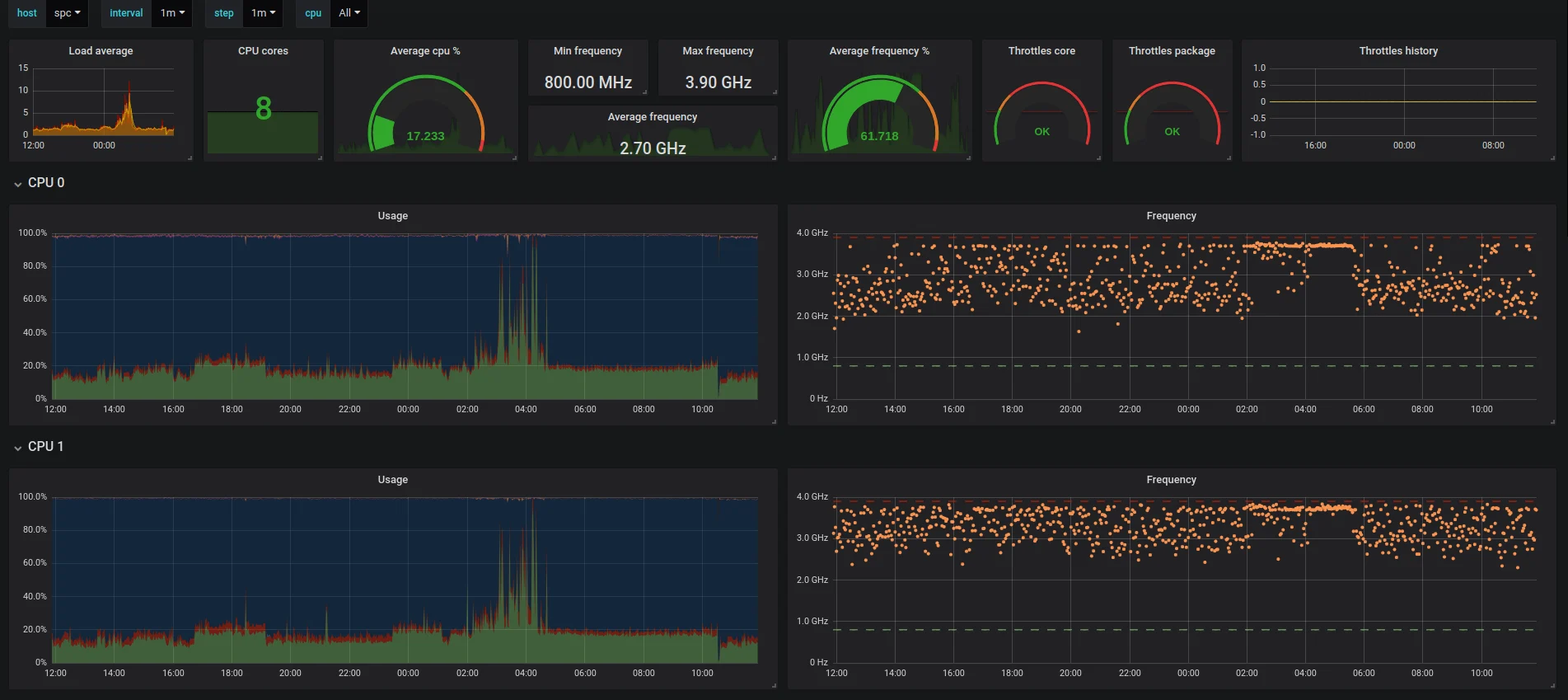
Modern observability environments rarely consist of a single tool. An application may generate telemetry through OpenTelemetry, store and analyze that telemetry in an observability platform, and use a separate visualization tool for operational dashboards.
In this article, we’ll look at exactly that setup: OpenTelemetry metrics from a Java Tomcat environment are sent to Sumo Logic and then visualized in Grafana using the Sumo Logic Metrics API and Grafana’s Infinity datasource.
The architecture is useful when you want to keep Sumo Logic as your metrics backend while giving engineering teams the flexibility of Grafana for custom dashboards and visualizations.
1. The Architecture: Java, OpenTelemetry, Sumo Logic and Grafana
Consider a typical application environment consisting of a Java application running on Tomcat and a SQL Server database.
An OpenTelemetry Agent is installed in the environment to collect metrics. The collected telemetry is sent to Sumo Logic, where the metrics are stored and queried.
Grafana doesn’t directly consume the OpenTelemetry data in this architecture. Instead, Grafana retrieves the metrics from Sumo Logic through its public Metrics API.
The resulting architecture looks like this:
        Production Environment
┌─────────────────────────────────────┐
│                                     │
│  Java / Tomcat Application Server   │
│              │                      │
│              │ metrics              │
│              ▼                      │
│      OpenTelemetry Agent            │
│                                     │
└──────────────┬──────────────────────┘
               │
               │ OpenTelemetry metrics
               ▼
       ┌──────────────────┐
       │    Sumo Logic    │
       │  Metrics Backend │
       └────────┬─────────┘
                │
                │ Metrics API
                ▼
       ┌──────────────────┐
       │      Grafana     │
       │ Infinity Plugin  │
       └────────┬─────────┘
                │
                ▼
       Grafana Dashboards
The important distinction is that each component has a different responsibility:
- OpenTelemetry collects and transports telemetry.
- Sumo Logic acts as the metrics backend.
- Sumo Logic Metrics API exposes the metrics programmatically.
- Grafana Infinity makes HTTP requests to the API and parses the response.
- Grafana turns the resulting data into dashboards and visualizations.
This separation allows teams to use OpenTelemetry as a vendor-neutral telemetry layer while retaining flexibility in how the data is consumed.
2. Configure Grafana to Query the Sumo Logic Metrics API
Grafana can access the Sumo Logic metrics backend through the Sumo Logic public API.
The endpoint used for metric queries is:
https://api.<aws-region>.sumologic.com/api/v1/metricsQueries
For example, if your Sumo Logic deployment is hosted in a particular AWS region, replace <aws-region> with the appropriate Sumo Logic API region.
For Grafana, we use the Infinity datasource, which supports querying JSON APIs and transforming their responses into data that Grafana panels can visualize.
Add an Infinity datasource in Grafana and configure the datasource URL as:
https://api.<aws-region>.sumologic.com
The individual query will then use:
POST /api/v1/metricsQueries
In the Infinity query editor, configure:
| Setting | Value |
|---|---|
| Type | JSON |
| Parser | JQ |
| Source | URL |
| Method | POST |
| URL | https://api.<aws-region>.sumologic.com/api/v1/metricsQueries |
The request body contains the Sumo Logic metric query and the time range selected in Grafana.
For example:
{
  "queries": [
    {
      "rowId": "A",
      "query": "metric=system.cpu.utilization state=idle | avg by _sourcehost | eval (1-_value)*100",
      "quantization": 60000,
      "rollup": "Avg"
    }
  ],
  "timeRange": {
    "type": "BeginBoundedTimeRange",
    "from": {
      "type": "EpochTimeRangeBoundary",
      "epochMillis": ${__timeFrom}
    },
    "to": {
      "type": "EpochTimeRangeBoundary",
      "epochMillis": ${__timeTo}
    }
  }
}
There are two particularly useful aspects of this query.
First, the Sumo Logic query calculates CPU utilization from the idle CPU metric:
metric=system.cpu.utilization state=idle
| avg by _sourcehost
| eval (1-_value)*100
If CPU idle is 20%, the resulting utilization is approximately 80%.
Second, the query uses Grafana’s ${__timeFrom} and ${__timeTo} variables. These are replaced by Grafana with the dashboard’s selected start and end timestamps.
As a result, changing the Grafana time picker automatically changes the time range sent to Sumo Logic.
The quantization value is set to 60000, giving a 60-second resolution, while rollup: Avg requests average aggregation.
3. Parse the Sumo Logic JSON Response
The next challenge is converting the Sumo Logic API response into a format Grafana understands.
The API response contains nested objects representing the query result, time series, metric dimensions, timestamps, and values.
Grafana Infinity’s JQ parser can transform this response.
Use the following JQ expression:
.queryResult[]
| .timeSeriesList.timeSeries[]
| .metricDefinition.dimensions._sourcehost as $host
| [.points.timestamps, .points.values]
| transpose[]
| { time: .[0], value: .[1], host: $host }
The expression first navigates through the response:
queryResult
    │
    ▼
timeSeriesList
    │
    ▼
timeSeries
It then extracts the host dimension:
.metricDefinition.dimensions._sourcehost as $host
The timestamp and value arrays are combined:
[.points.timestamps, .points.values]
| transpose[]
Finally, every timestamp/value pair is converted into a simple object:
{
  time: .[0],
  value: .[1],
  host: $host
}
The result is much easier for Grafana to consume:
time                 value       host
------------------------------------------------
2026-10-04 21:30:00	37.42	vdi-do-ci-0
2026-10-04 21:31:00	41.18	vdi-do-ci-0
2026-10-04 21:32:00	39.76	vdi-do-ci-0
Configure the resulting columns as:
| Column | Type |
|---|---|
time | Time — Unix milliseconds |
value | Number |
host | String |
At this point, the Sumo Logic API response has effectively been transformed into a simple three-column dataset.
4. Turn the API Response into a Grafana Dashboard
The final step is to tell Grafana that the returned data represents a time series.
In the Grafana panel, add the transformation:
Prepare time series → Multiple frame time series
This converts the parsed API response into the time-series structure required by Grafana.
The complete data flow is now:
Sumo Logic Metrics API
          │
          ▼
       JSON data
          │
          ▼
      JQ parser
          │
          ▼
 time | value | host
          │
          ▼
  Prepare time series
          │
          ▼
 Multiple frame time series
          │
          ▼
     Grafana panel
Once this is working, the same approach can be used to build a broader operational dashboard.
For example, a Tomcat environment could expose dashboards containing:
- CPU utilization by host
- Memory utilization
- Disk utilization
- CPU cores
- Host operating system
- JVM metrics
- Application metrics
- Database-related metrics
Grafana transformations can then be used to rename fields, organize columns, convert bytes into MB or GB, apply units, and control which fields are displayed.
Conclusion
Using OpenTelemetry, Sumo Logic, and Grafana together doesn’t require moving your telemetry into another metrics database.
The architecture can remain simple:
OpenTelemetry Agent → Sumo Logic → Sumo Logic Metrics API → Grafana Infinity → Grafana Dashboard
OpenTelemetry handles telemetry collection, Sumo Logic remains the backend for metrics, and Grafana provides the visualization layer.
The most interesting part of this integration is the API boundary. Once Grafana can query the Sumo Logic Metrics API and transform the JSON response using JQ, the same pattern can be extended to many different metrics and dashboard use cases.
This gives engineering teams a flexible way to build custom Grafana dashboards while continuing to use Sumo Logic as their observability backend.